Secium — interactive 3D globe in the browser
For Secium, we put together a working demo of an interactive 3D globe in the browser: planet-wide terrain, 3D city buildings, place search and a map layer switcher. The scene holds 60 FPS from orbit down to the blocks of Tashkent and New York.
Challenge
Secium is a product for spatial data visualisation on an interactive globe. This case is about its technical demo, which runs from a link with nothing to install and shows terrain, city buildings and map layers. It is a technology showcase that has no customers or business metrics yet.
Data on a world map is most convincing in true 3D, with terrain, building heights and a free camera. The goal was a 3D globe in the browser that opens from an ordinary link, with no plugins and nothing to install. The catch is that the 3D engine alone weighs about five megabytes, and while it loads, nobody should be left staring at a blank black screen.
A planet does not fit into a single download. Terrain for the whole Earth, satellite imagery and the geometry of city buildings cannot be fetched in advance: the data arrives in pieces, exactly the fragment the camera is hovering over, whether that is orbit, a mountain range or a single block.
Smoothness matters more than effects here. If the picture stutters while rotating or zooming, the sense of a living model is lost and the globe turns into a slow illustration. The scene has to hold a steady frame rate even while new terrain and buildings stream in the background.
The controls also had to make sense to someone who has never used GIS software. Finding a city, returning to the overview, changing the base map and moving from 3D to a flat map should all work without a manual and without panels that cover the scene itself.
Solution
Rather than writing a map engine from scratch, we built the demo on CesiumJS, an open WebGL library for 3D globes. The scene uses two data layers from the Cesium ion cloud: Cesium World Terrain for the whole planet and 3D buildings from OpenStreetMap. Most of the work went into assembling the scene, loading and controls.
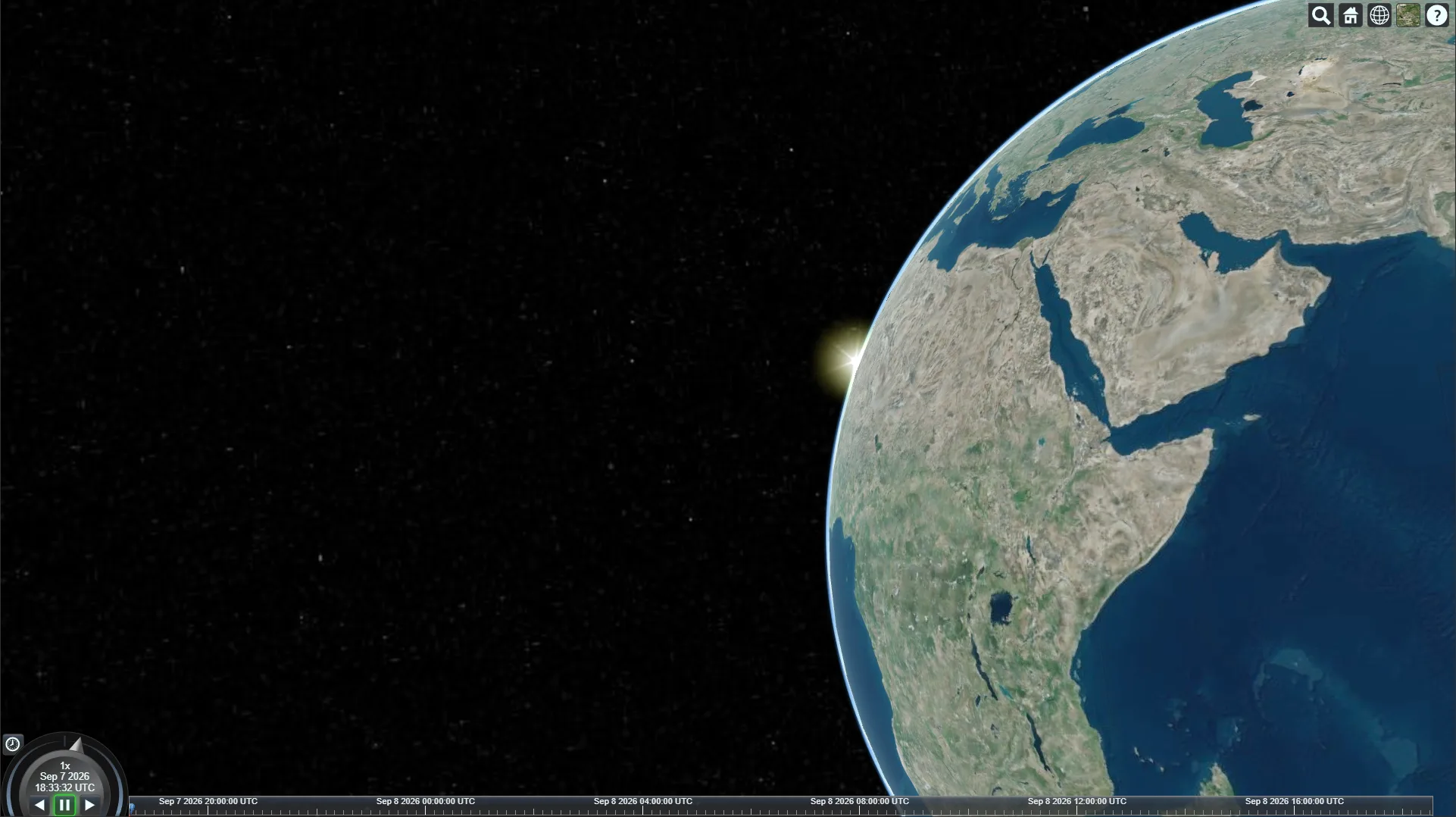
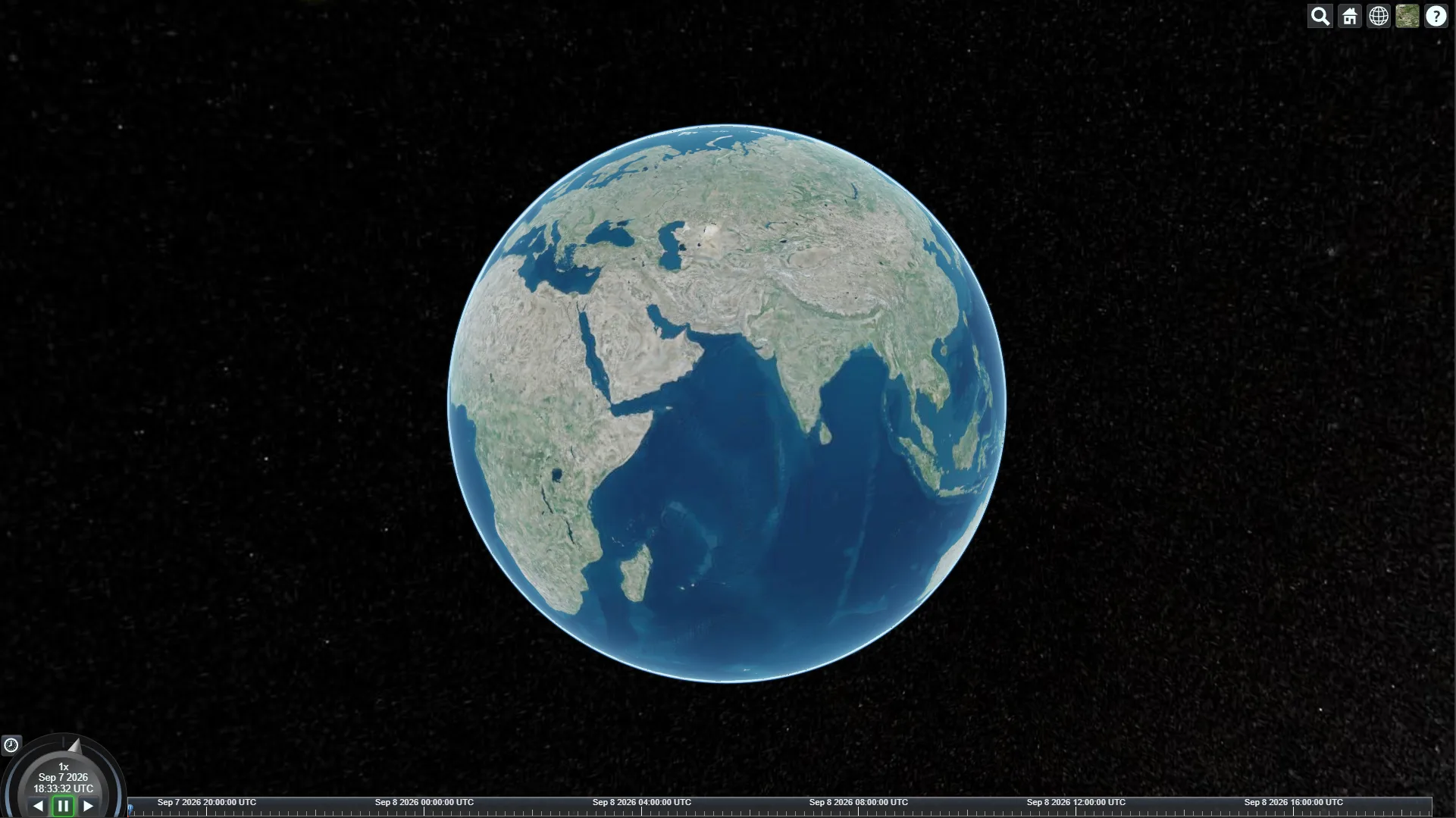
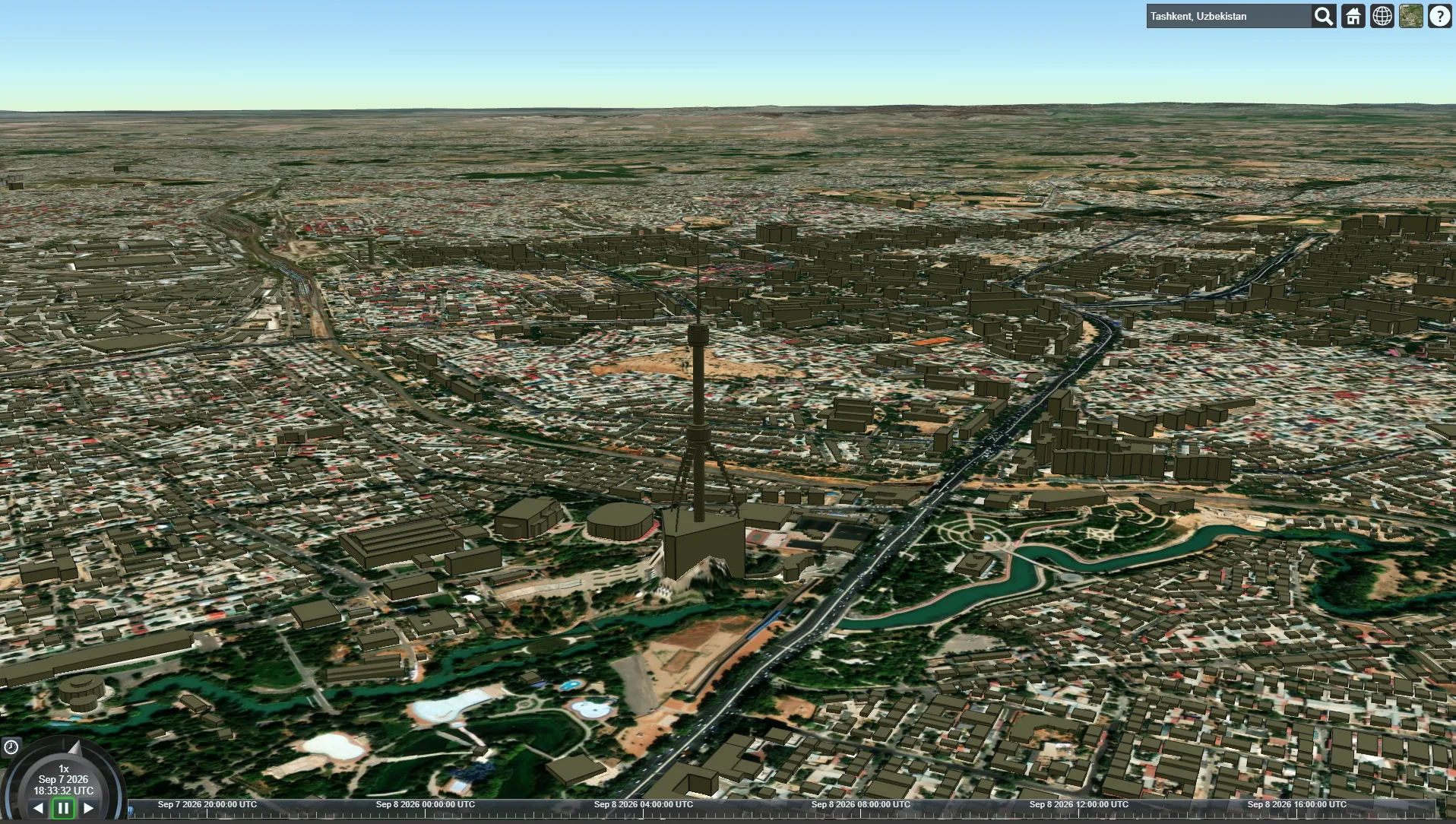
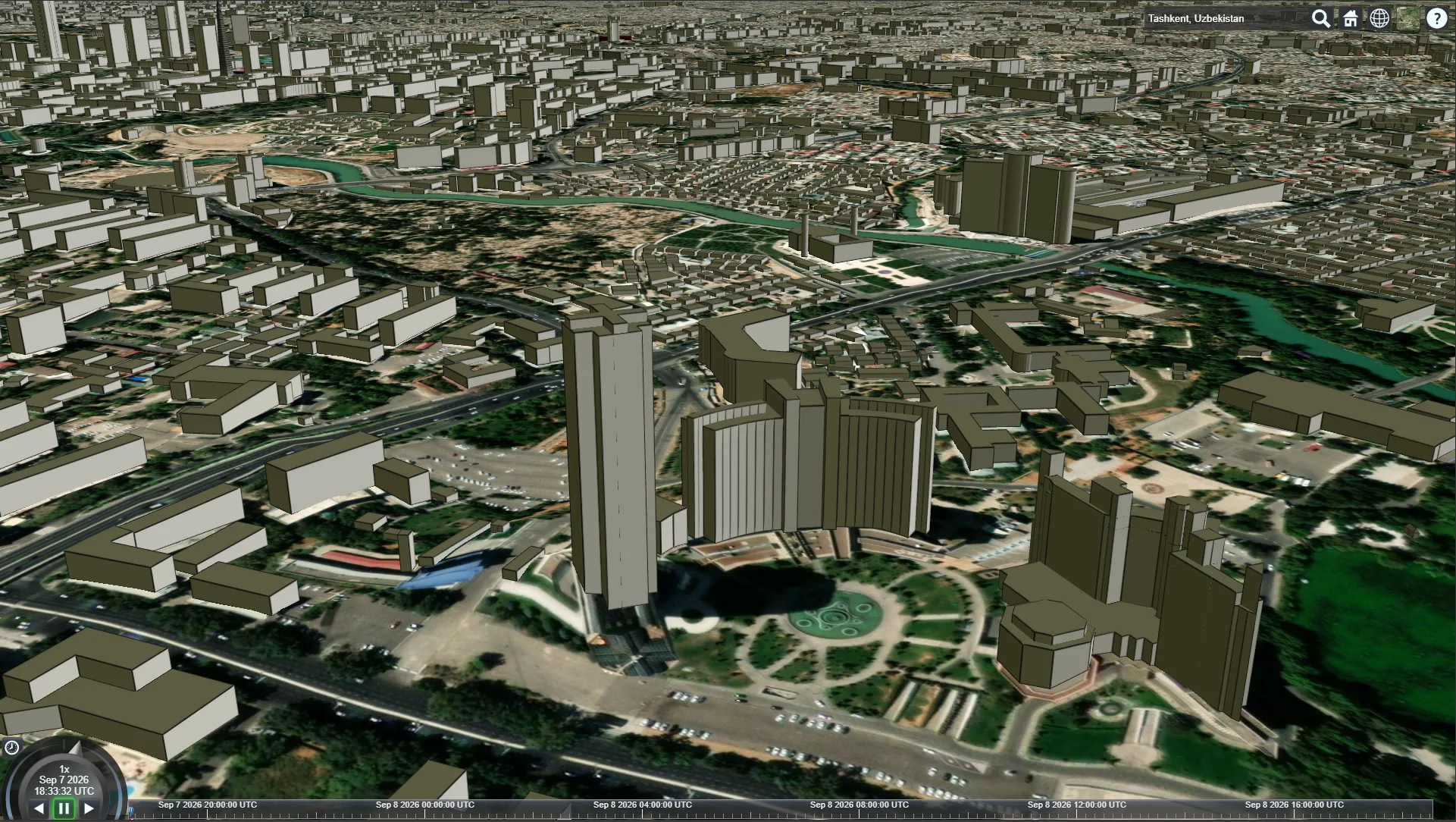
A visitor opens the link and sees Earth from space. Typing, say, 'Tashkent, Uzbekistan' into the search box flies the camera to the city, where terrain and blocks rise in 3D. The home button returns to the overview, the layer picker changes the base map, the next button turns the scene into a flat map, and a scene clock with a timeline runs along the bottom.
The shell is written in React 19, with Vite for the build and Vercel for hosting. The heavy scene component loads lazily through React.lazy and Suspense: while CesiumJS 1.127 initialises, a 'Loading Maps' spinner fills the screen. Terrain and buildings then stream from Cesium ion as the camera moves.
A 3D globe from a plain link
The demo opens in any modern browser with no plugins or installation, and WebGL draws the scene on the device's graphics card. Earth is visible whole from space, and the mouse wheel or a trackpad gesture brings the camera down to individual buildings.
Global terrain and 3D buildings
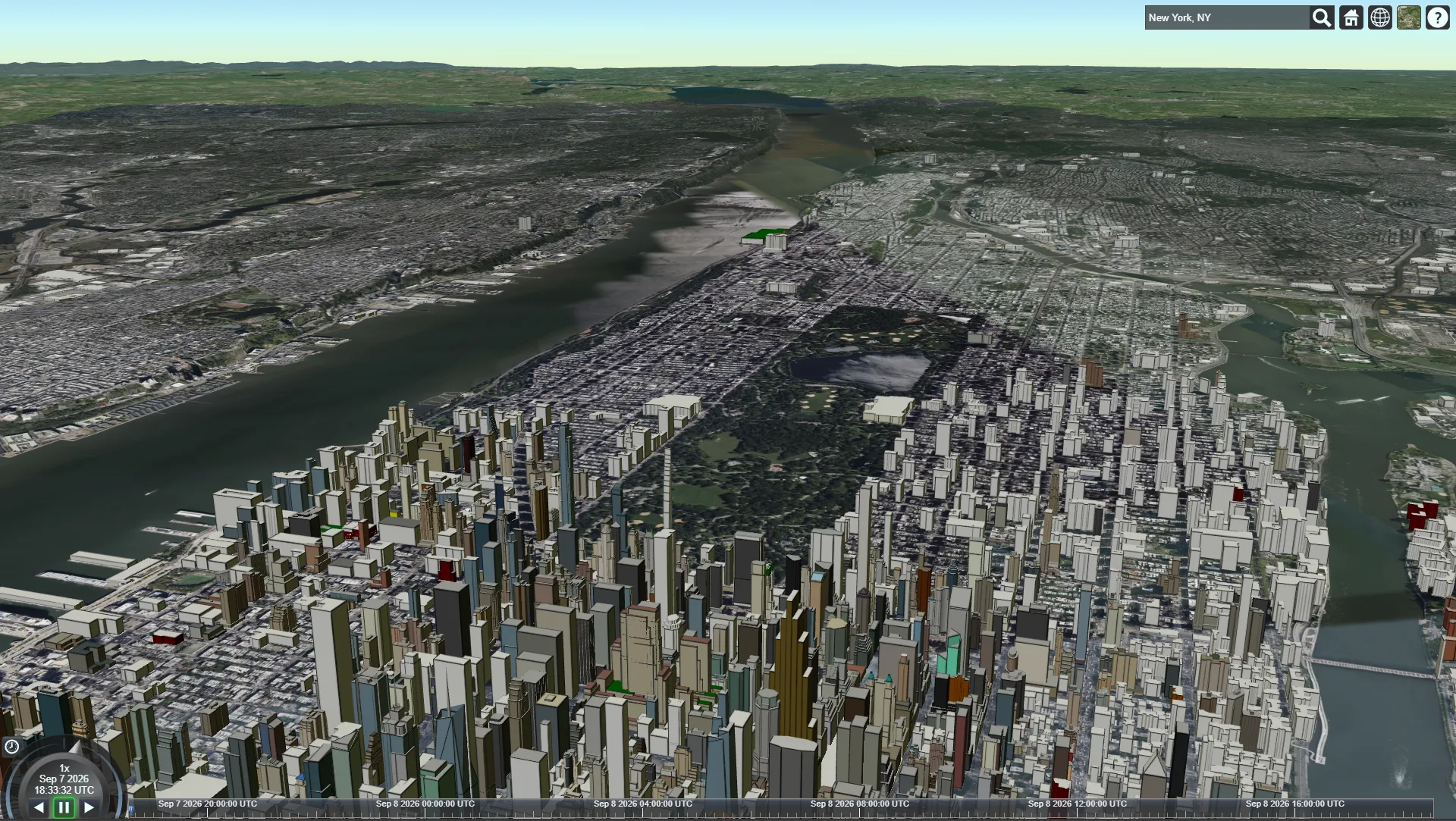
Cesium World Terrain raises mountains and river valleys, while the OpenStreetMap Buildings layer extrudes city blocks from building outlines and heights. New York shows the Manhattan skyline around Central Park, and Tashkent shows the TV tower and the housing estates around it.
Place search and camera flights
The search box in the toolbar takes a city name or an address and smoothly moves the camera to the result. The home button brings back the whole planet in one click, so it is hard to lose your bearings at any scale.
Base map and terrain switcher
The standard CesiumJS layer picker offers 15 base maps, including Bing and ArcGIS satellite imagery, a road map, OpenStreetMap, Sentinel-2 imagery and Earth at night, plus two terrain options. The same place can look very different depending on the task.
Three view modes and a timeline
A mode button switches the scene between a 3D globe, a flat 2D map and the in-between Columbus View. Along the bottom, a scene clock with play and pause controls and a UTC timeline keep time, and the '?' button explains mouse and touch navigation.
A quick start for a heavy scene
A light React shell with a 'Loading Maps' indicator loads first, and the scene component arrives as a separate chunk once the engine is ready. Vite handles the build, the demo is hosted on Vercel, and terrain and buildings come from Cesium ion piece by piece as the camera moves.
Results
The project's key outcomes in numbers.
- 60 FPS3D scene smoothness
The globe rotates and zooms without stutter, from a view from space down to city blocks.
- 15Base map options
Satellite imagery, a road map, OpenStreetMap, Earth at night and more sit in a single switcher.
- 3View modes
A 3D globe, a flat map and the in-between Columbus View switch with a single button.
- 12 daysFrom kickoff to demo
Building the scene, connecting the data, the loading screen and publishing the demo took twelve days.
Design & interfaces
Key screens and interfaces of the project.
Project tech stack
The stack we used to build the solution for the client's task.
- Vercel
- JavaScript
- React
- Vite
Similar cases


Ready to become the next case?
Tell us about your task — a manager will assemble the team, calculate the estimate and send a proposal within the first hour after the request. No obligations, no drip campaigns.