ProAuto — auto parts store website concept
ProAuto Concept is our auto parts store website design, shown as a concept: a home page bringing batteries, oils, consumables and services into one scroll. We worked out seven sections, photo category tiles and a red-and-graphite visual language.
Challenge
ProAuto Concept is our design concept, not a client commission or a launched store. The mock-up shows what the home page of an online auto parts store could look like: batteries, motor oils, consumables, car chemicals and accessories, plus services such as advice, diagnostics and old battery exchange. The page is aimed at car owners who need both a product and advice.
In this concept we explored what auto parts store website design could look like when the shop sells not only goods but also help with choosing them. The range of such a store is wide and mixed, from batteries and motor oils to consumables, car chemicals and accessories, and the home page has to show within seconds what is on offer and where to start.
A battery or an oil is rarely chosen by its picture: a car owner is unsure whether the product fits their car and wants to ask a specialist. That means advice, diagnostics and old battery exchange belong on the home page next to the catalogue rather than being buried in inner sections.
Photos of engines, oils, tools and workshops are bright on their own and vary in colour and lighting. The interface needed a restrained, recognisable visual language that would pull these shots into one system, look technical and never compete with the products.
On top of that, the concept had to support two scenarios at once. Some customers are happy to find a product and put it in the basket themselves, while others want a call back and some help. The page has to lead to both actions from any screen without losing the service sections: licences, partners, company details, vacancies, offers and articles.
Solution
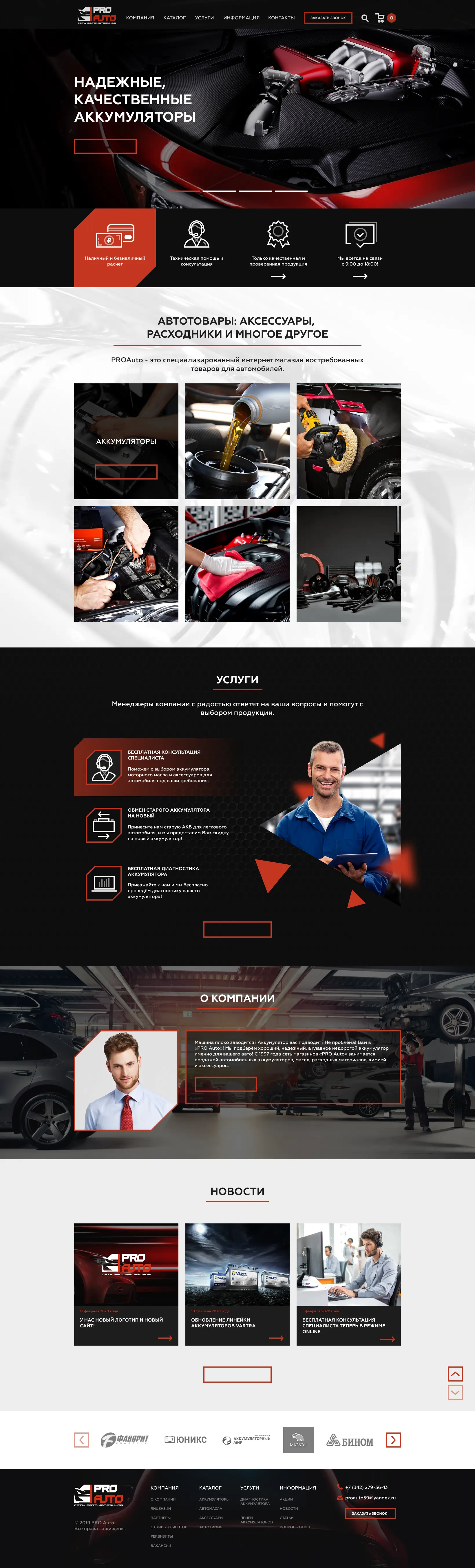
We built the home page as a route from the offer to the service: a slider, a strip of advantages, category tiles, services, the company story, news and a row of partners. Dark and light sections alternate, so the long page reads in blocks, and red accents lead the eye to the buttons.
A car owner sees the essentials at once: cash and cashless payment, technical help, verified products and opening hours from 9:00 to 18:00. Categories open as large photo tiles, and three services explain why it is worth buying here. The Request a Call button, search and basket are always in the header, and the footer repeats the navigation in four columns.
The mock-up was made in Figma as a desktop home page built from recurring elements: buttons with a red outline, icons in chamfered frames, headings with a red rule beneath and news cards with a date and an arrow. These shared elements keep the page coherent and make it easier to turn the concept into a working layout.
A slider with the main offer
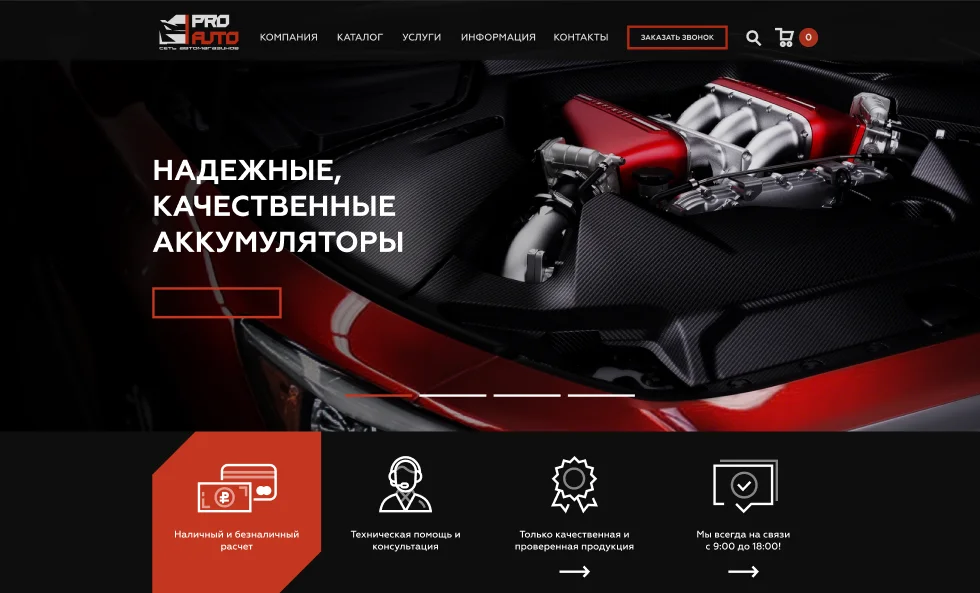
The first screen is a four-slide carousel: a large headline about reliable batteries over a red-and-black engine bay shot and a button with a red outline. Bar indicators at the bottom show how many offers are in rotation.
Four store advantages
Below the slider runs a strip of four items with line icons: cash and cashless payment, technical help and advice, verified products only, and contact hours from 9:00 to 18:00. The first item is highlighted with a red panel with a chamfered corner.
Auto parts category tiles
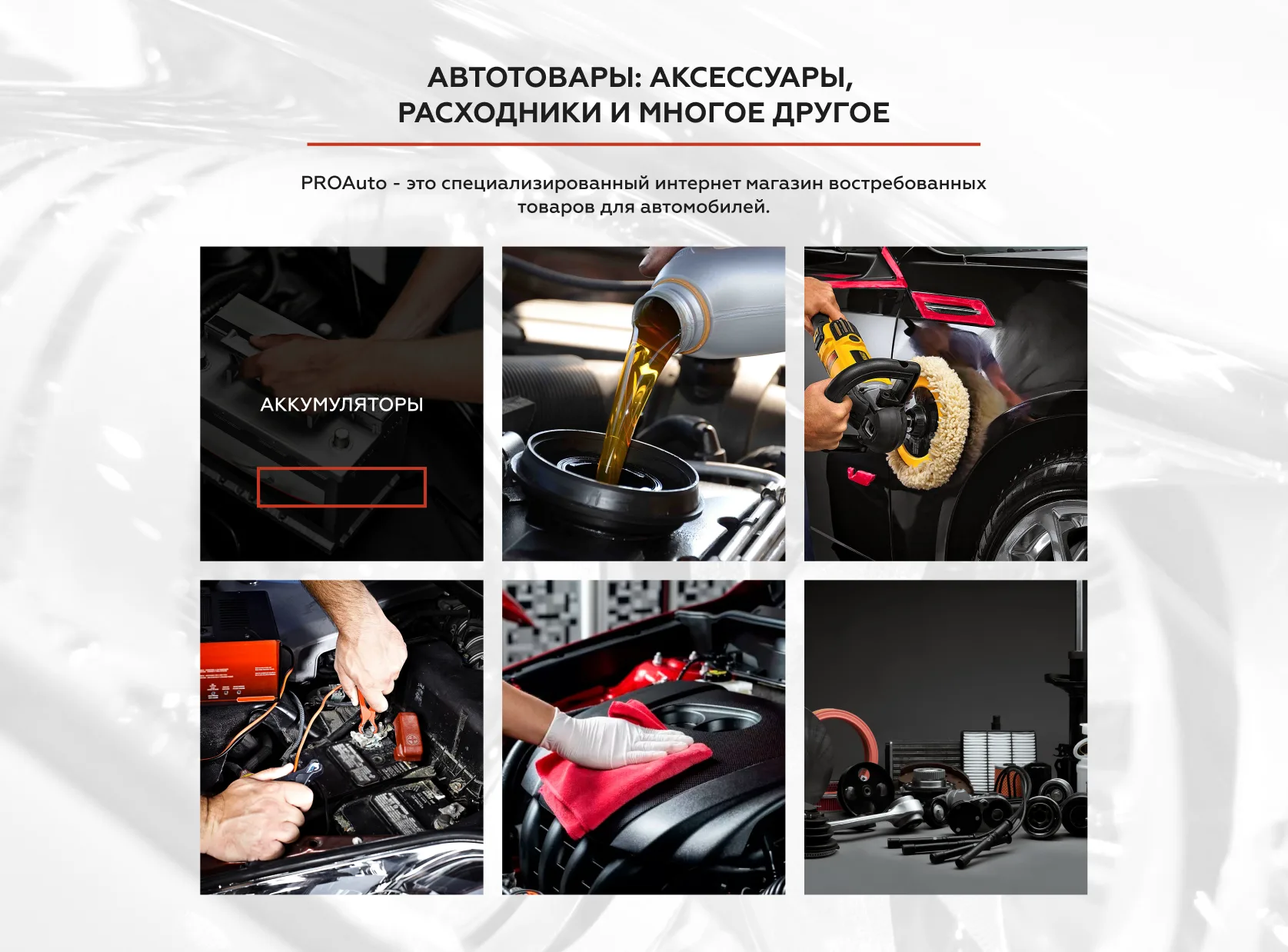
The Auto Goods section, covering accessories, consumables and more, is made of six large photo tiles in a three-by-two grid. On hover a tile darkens and shows the category name and a button; in the mock-up this state appears on the Batteries tile.
Services next to the products
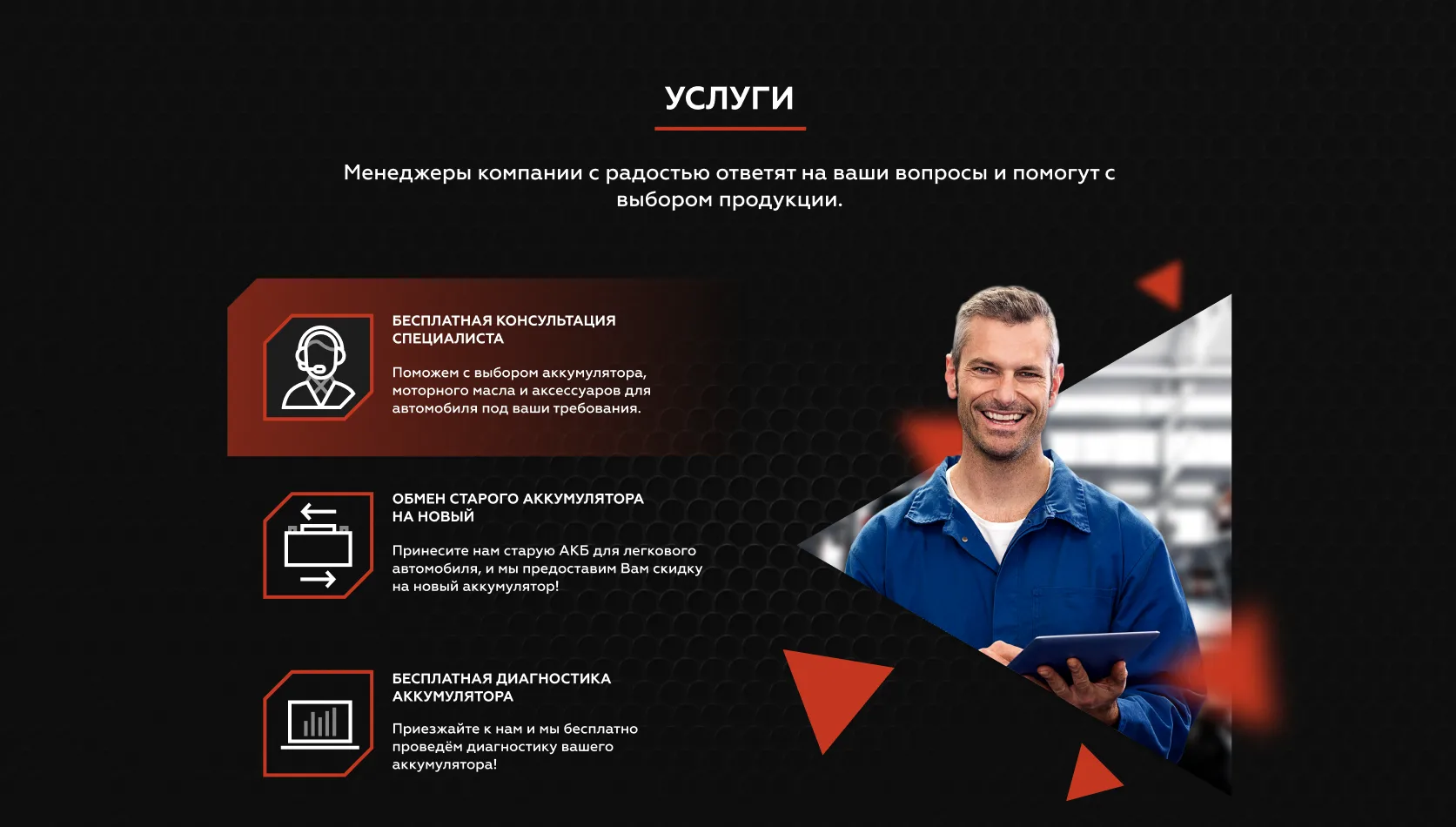
The Services block brings free specialist advice, exchange of an old battery for a discount on a new one and free diagnostics to the home page. Icons in branded frames and a photo of a mechanic with a tablet against red triangles make the service stand out rather than feel secondary.
Company, news and partners
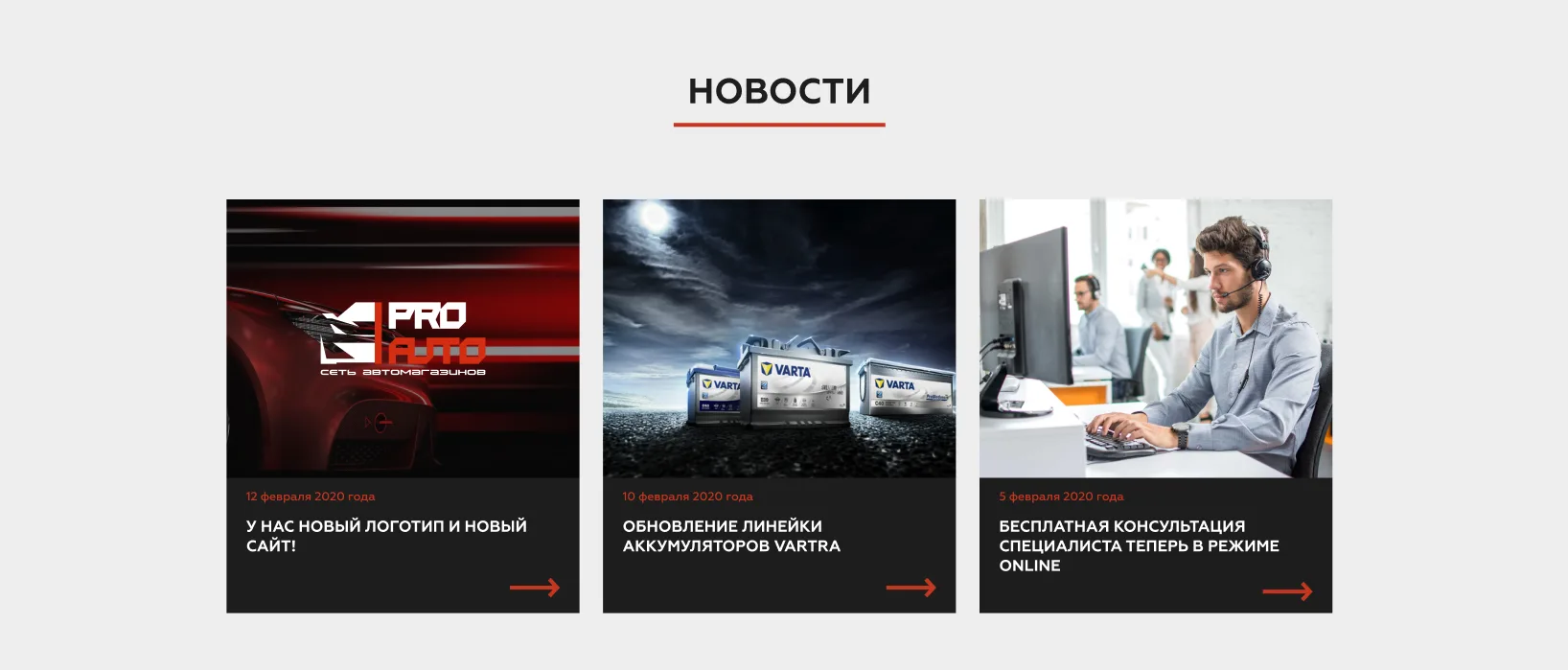
The About section combines a portrait, a short text and a button over a car workshop backdrop. Below come three news cards with a date, headline and arrow, a button leading to all news and a carousel of partner logos with arrows.
A red-and-graphite visual language
Black and graphite backgrounds, red accents, chamfered corners on panels and frames, decorative triangles and upper-case headings with a red rule beneath repeat across every section. Scroll up and down buttons help to move through the long page.
Results
The project's key outcomes in numbers.
- 7Home page sections
Slider, advantages, categories, services, about, news and partners sit between the header and footer.
- 6Category photo tiles
Large tiles lead into catalogue sections and reveal a name and a button on hover.
- 3Services on the home page
Specialist advice, old battery exchange and diagnostics sit right next to the products.
- 10 daysTime spent on the concept
The page structure, visual language and Figma mock-up took ten days.
Design & interfaces
Key screens and interfaces of the project.
Project tech stack
The stack we used to build the solution for the client's task.
- Figma
Ready to become the next case?
Tell us about your task — a manager will assemble the team, calculate the estimate and send a proposal within the first hour after the request. No obligations, no drip campaigns.